Spawned Eggs Addon / Texture
- 18-01-2026, 05:19
- 455
Addons 1.21 / Addons 1.20 / Addons 1.19 / Textures

Spawned Eggs Addon / Texture Pack is one of those small visual changes that instantly makes Creative mode feel cleaner. Instead of squinting at eggs that all look kinda similar, you get full-body pixel icons that clearly show the mob you’re about to spawn. It’s still Minecraft’s blocky style, just way more readable at a glance.
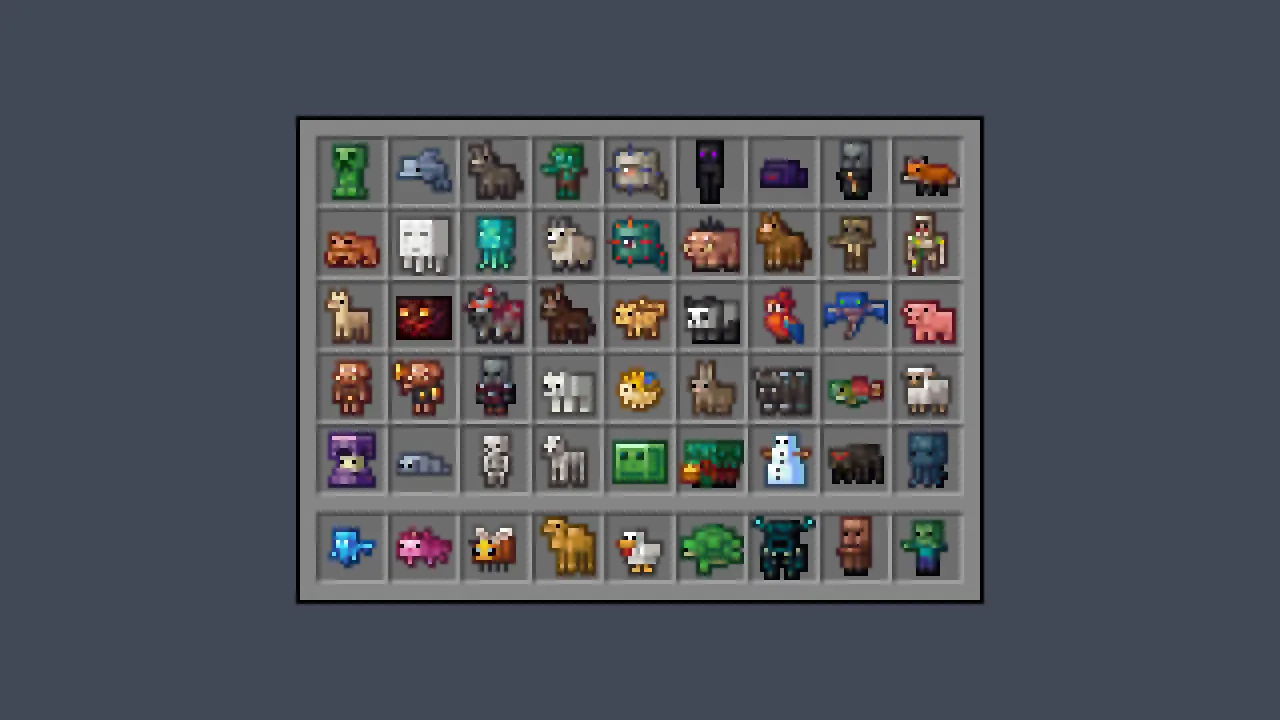
This is especially nice when you’re testing builds, setting up maps, or making mini-games where you’re constantly swapping mobs. You don’t have to hover and double-check every egg because the icon itself is basically the label. It also helps when you’re organizing chests full of spawn eggs for a project—everything looks distinct, like a little collection of figures lined up in your inventory.
Spawned Eggs Addon / Texture Pack keeps the vibe playful without going off-style. The eggs aren’t turned into realistic renders or anything weird—they’re just crisp, full-body pixel versions that match the game’s look. If you spend any time in Creative, Spawned Eggs Addon / Texture Pack is the kind of upgrade you’ll notice every single time you open your inventory.
Installation guile:
- Download file Addon;
- Use minecraft
- Open the downloaded file to install;
- Activate the settings;
- Play with the new mod!
Comments (0)