Effortless Building Mod
- 24-09-2026, 11:30
- 202
Effortless Building Addon - Build Smarter, Not Harder
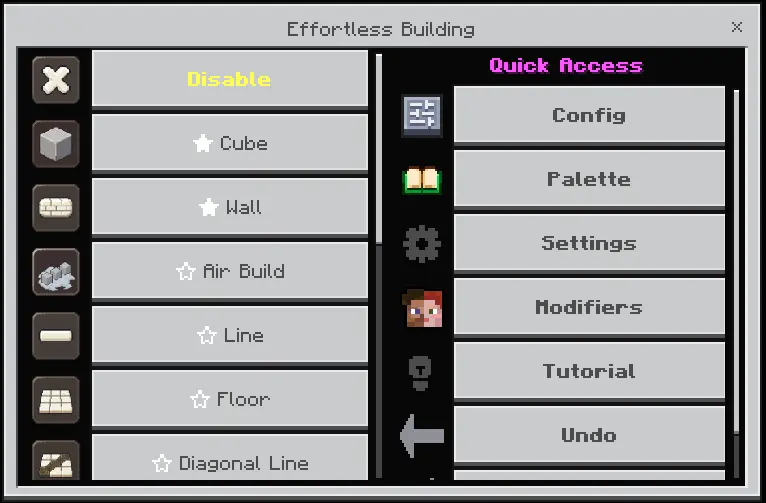
Inspired by Requioss's legendary Java mod, this addon bridges the gap between creative-mode efficiency and legitimate survival progression. Instead of clicking endlessly, you pick a build mode, click two or three times to define your boundaries, and instantly manifest entire structures: straight lines, towering walls, seamless floors, diagonal ramps, and mathematically perfect spheres and cones.
What makes this pack exceptional is that it remains strictly survival-friendly and achievements-friendly. It doesn't conjure blocks out of thin air like a cheat engine; every structure you generate physically pulls and consumes the exact required block count directly from your inventory. The destruction anchor operates with that same mechanical integrity—clearing out massive volumes while fully honoring your held tool's enchantments, meaning your Silk Touch, Fortune, and Unbreaking buffs still function normally. You also get essential conveniences like Air Building, allowing you to anchor structures mid-air without nerd-poling off the ground, alongside quick undo support if you ever misplace a shape.
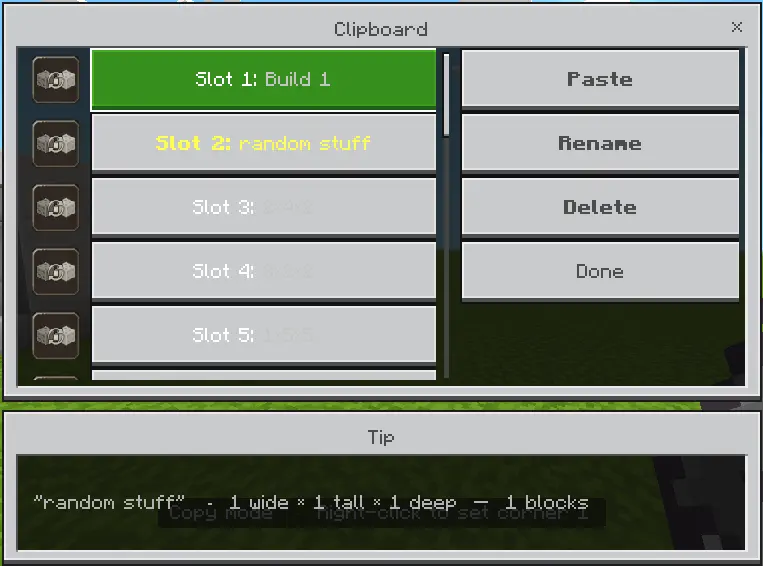
The true highlight of the v4 update is its relentless focus on performance optimization. In typical building tools, generating a massive 3D preview of a 50-block sphere would cause massive frame drops. Effortless Building v4 eliminates that stutter with Deferred Shape Calculation, ensuring real-time previews never cost you frames. The preview system strictly adheres to your chosen visual quality, a live tick-rate readout keeps you informed of world performance while you build, and a first-join Setup Wizard automatically benchmarks and tunes the addon's settings to your specific device—delivering a fluid experience across high-end PCs, consoles, and mobile phones alike.
With full custom block support and zero performance lag, this easily secures a top spot among the best Minecraft Bedrock addons for survival builders, decorators, and large-scale architects. It strips away the repetitive strain of mega-projects while keeping the satisfaction of gathering your own resources completely intact.
Pick up the custom MCPE addon download, calibrate the preview settings with the setup wizard, and start laying out your blueprints.
Are you going to use this to rapidly throw up perimeter walls around your survival base, or are you finally building that giant geometric dome you've been putting off?
Installation guile:
- Download file Addon;
- Use minecraft
- Open the downloaded file to install;
- Activate the settings;
- Play with the new mod!
Comments (0)